Deadlines
The clock on every report you owe
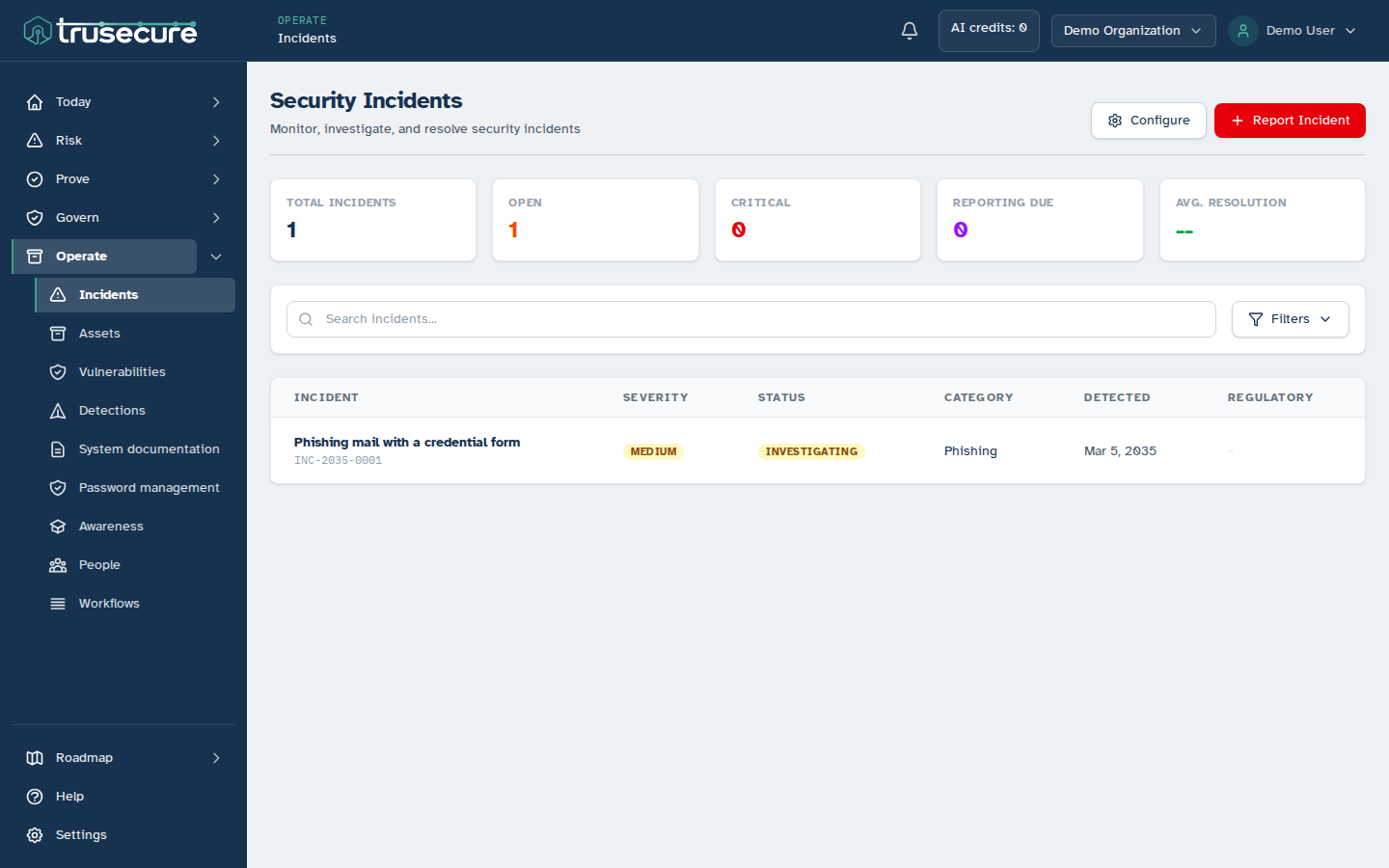
An incident that has to be reported starts its clock the moment you decide it is reportable. TruSecure holds the deadlines the law sets, counts down to each one, and writes down that you filed it.
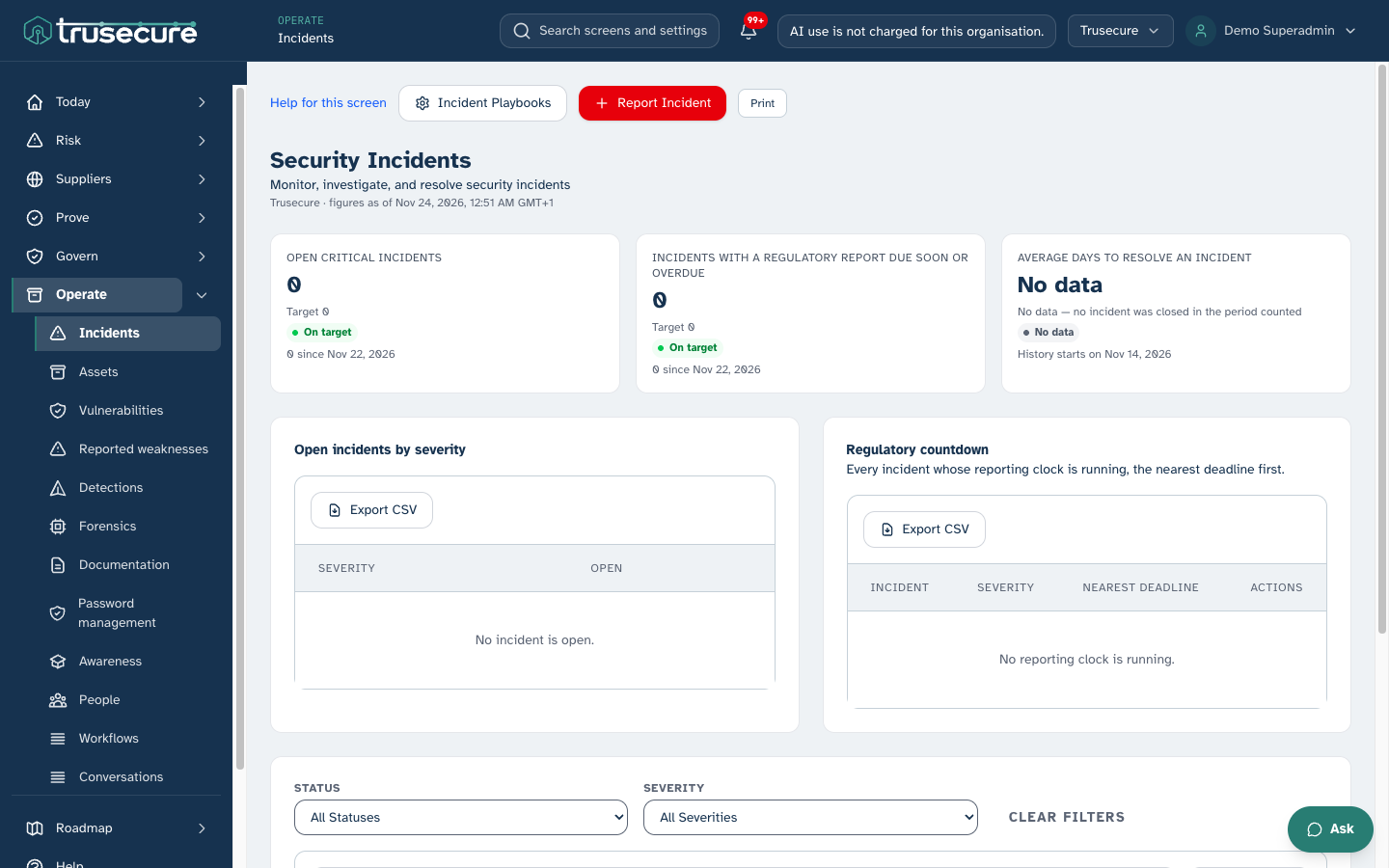
- to the first warning
24 hours
The early warning, and the hour it is due.
- to the report
72 hours
The notification window, and the same clock under GDPR.
- kinds of incident
180+
Each one with a prepared response, ready before it happens.
Your week
The deadline was in one person's head
The window for reporting is short, and it starts at a moment nobody notices. After that, a mailbox and a calendar decide the deadline.
- The clock starts when the incident is confirmed, and nobody writes that down.
- The deadline is different for each law, and the right one depends on what happened.
- The person who knew the date is on holiday that week.
- The proof that you filed it is a mail, filed under nothing.
The deadlines
The figures come from the law, and you can change them
Each law that asks you to report something brings its own stages and its own hours. TruSecure holds them with the provision each figure was taken from, so nobody has to remember which window applies. If your own legal advice gives you a different figure, you set that one instead, and every clock follows it.
The clocks
What the windows are
The stages a law sets out, and the hour each one is due. Every figure is kept with the provision it came from.
| Stage | Window | The clock starts at |
|---|---|---|
| NIS2 early warning | 24 hours | From the moment you become aware of the incident |
| NIS2 notification | 72 hours | From the same moment |
| NIS2 final report | 720 hours | From the same moment, unless the law counts it from the notification |
| GDPR breach notification | 72 hours | From the moment you become aware of the breach |
| DORA initial notification | 24 hours | From the moment you become aware of the incident |
| A request about personal data | 1 month | From the day the request reaches you |
On the screen
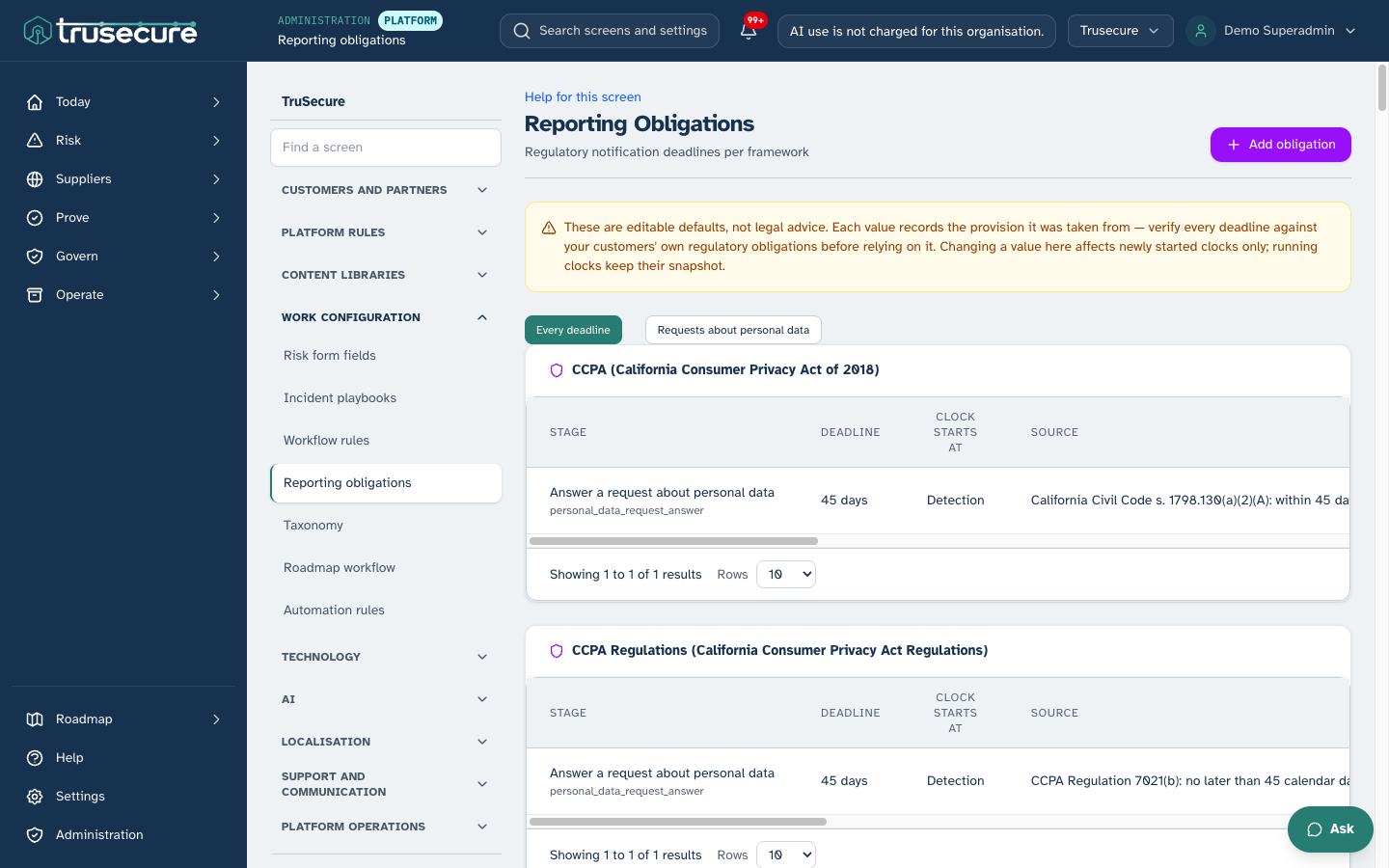
Every deadline, with the law it came from
The catalogue holds each reporting obligation as a row: the stage, the deadline, the moment the clock starts and the provision the figure was taken from. It is edited in the application, so a change in the law is a settings change rather than a release.
What else comes with it
The rest of the deadline work
The clock is the last step. These are the ones before it.
See the incidents- A prepared response for every kind of incident, with its steps, its checklist and who to tell.
- A rehearsal you can run without touching the real register: the tabletop exercise, what it found and the work that followed.
- Whether an incident has to be reported is a proposal your security lead decides, not a rule that fires on its own.
- A figure for the clocks that are about to close, so the number in the board pack is not a guess.
- Each filing is recorded with its time and its reference, on the trail beside everything else.
- The auditor gets the same answer you do: what had to be reported, to whom, and by when.
Questions
What a careful buyer asks
- Who decides the deadline?
- You do. The law gives the default and the provision it came from, and your own legal advice gives you the figure you run on.
- What happens when a clock is about to close?
- The incident appears on the dashboard as due soon, and it stays in the list until the filing is recorded.
- Does TruSecure send the report for us?
- No. TruSecure tracks the deadline and records the filing. The report itself is yours to send.
- Can I see what was filed?
- Yes. Every filing carries its time and its reference, and it sits on the trail beside everything else that happened.
Start
Put your own deadlines on the screen
Tell us which laws you answer to and what your legal advice says about the windows. We set the clocks up with you and put them on your first page.